

Bulk Load Data Files into Aurora RDS from S3 Bucket using AWS Data Pipeline

Bulk Load Data Files in S3 Bucket into Aurora RDS
We typically get data feeds from our clients ( usually about ~ 5 – 20 GB) worth of data. We download these data files to our lab environment and use shell scripts to load the data into AURORA RDS . We wanted to avoid unnecessary data transfers and decided to setup data pipe line to automate the process and use S3 Buckets for file uploads from the clients.
In theory it’s very simple process of setting up data pipeline to load data from S3 Bucket into Aurora Instance .Even though it’s trivial , setting up this process is very convoluted multi step process . It’s not as simple as it sounds . Welcome to Managed services world.
STEPS INVOLVED :
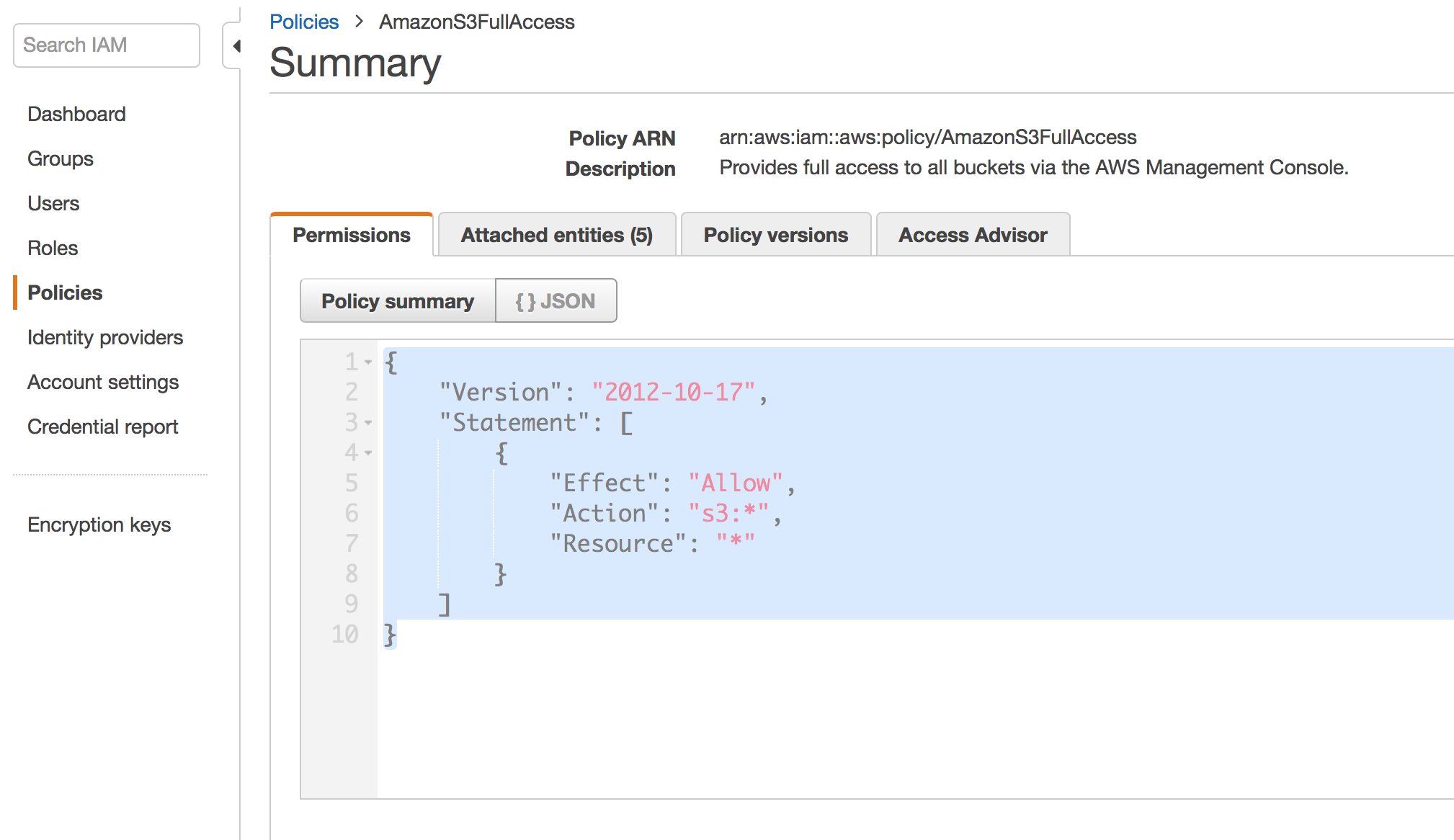
- Create ROLE and Attach S3 Bucket Policy :
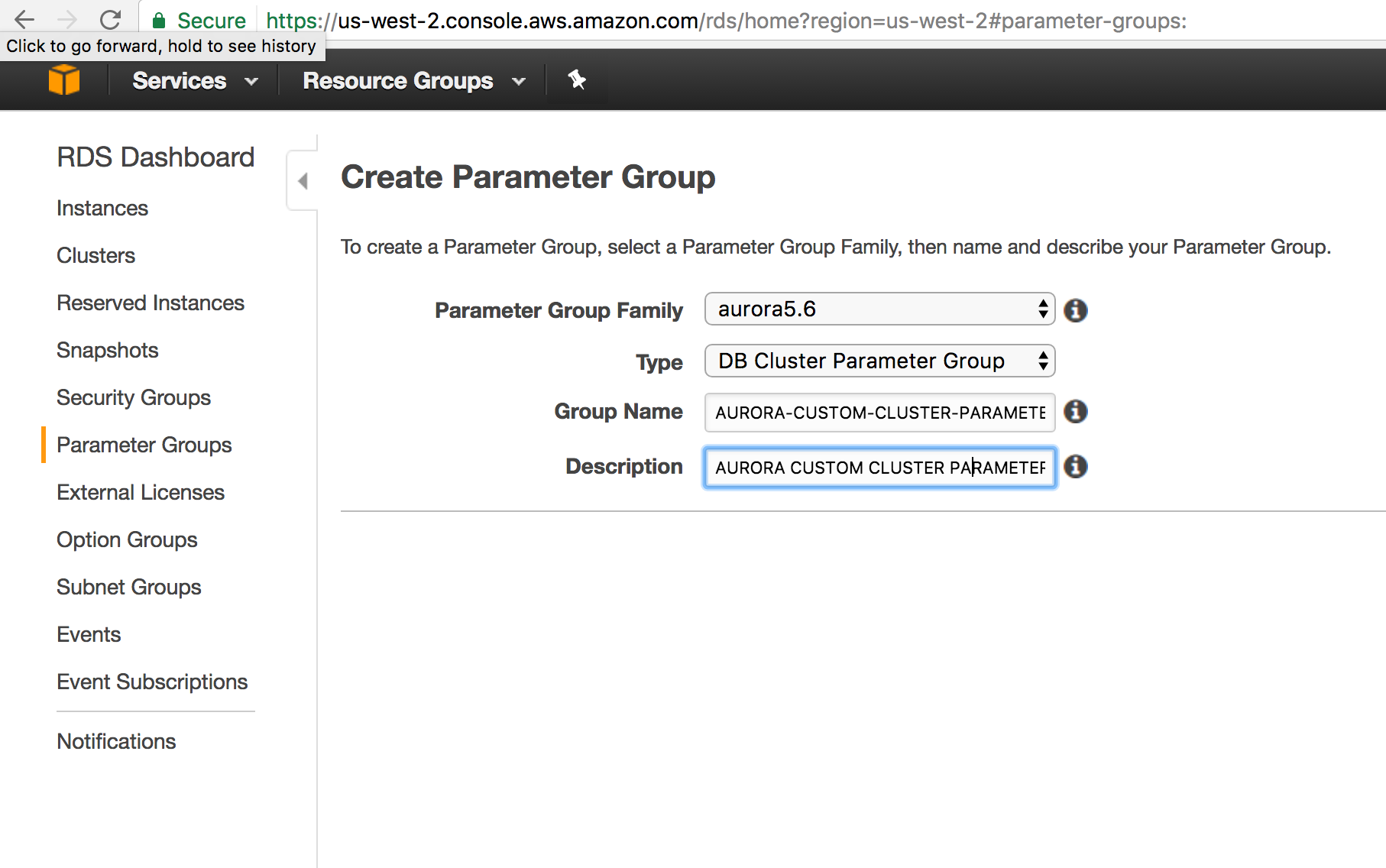
- Create Cluster Parameter Group
- Modify Custom Parameter Groups to use ROLE
- REBOOT AURORA INSTANCE
GRANT AURORA INSTANCE ACCESS TO S3 BUCKET
By default aurora cannot access S3 Buckets and we all know it’s just common sense default setup to reduce the surface area for better security.
For EC2 Machines you can attach a role and the EC2 machines can access other AWS services on behalf of role assigned to the Instance.Same method is applicable for AURORA RDS. You Can associate a role to AURORA RDS which has required permissions to S3 Bucket .
There are ton of documentation on how to create a role and attach policies . It’s pretty widely adopted best practice in AWS world. Based on AWS Documentation, AWS Rotates access keys attached to these roles automatically. From security aspect , its lot better than using hard coded Access Keys.
In Traditional Datacenter world , you would typically run few configuration commands to change configuration options .( Think of sp_configure in SQL Server ).
In AWS RDS World , its tricky . By default configurations gets attached to your AURORA Cluster . If you need to override any default configuration , you have to create your own DB Cluster Parameter Group and modify your RDS instance to use the custom DB Cluster Parameter Group you created.Now you can edit your configuration values .
The way you attach a ROLE to AURORA RDS is through Cluster parameter group .
These three configuration options are related to interaction with S3 Buckets.
- aws_default_s3_role
- aurora_load_from_s3_role
- aurora_select_into_s3_role
Get the ARN for your Role and modify above configuration values from default empty string to ROLE ARN value.
Then you need to modify your Aurora instance and select to use the role . It should show up in the drop down menu in the modify role tab.
GRANT AURORA LOGIN LOAD FILE PERMISSION
        GRANT LOAD FROM S3 ON *.* TO user@domain-or-ip-address
        GRANT LOAD FROM S3 ON *.* TO 'aurora-load-svc'@'%'
REBOOT AURORA INSTANCE
Without Reboot you will be spending lot of time troubleshooting. You need to reboot to the AURORA Instance for new cluster parameter values to take effect.
After this you will be be able to execute the LOAD FILE FROM S3 to AURORA .
Screen Shots :
Create ROLE and Attach Policy :
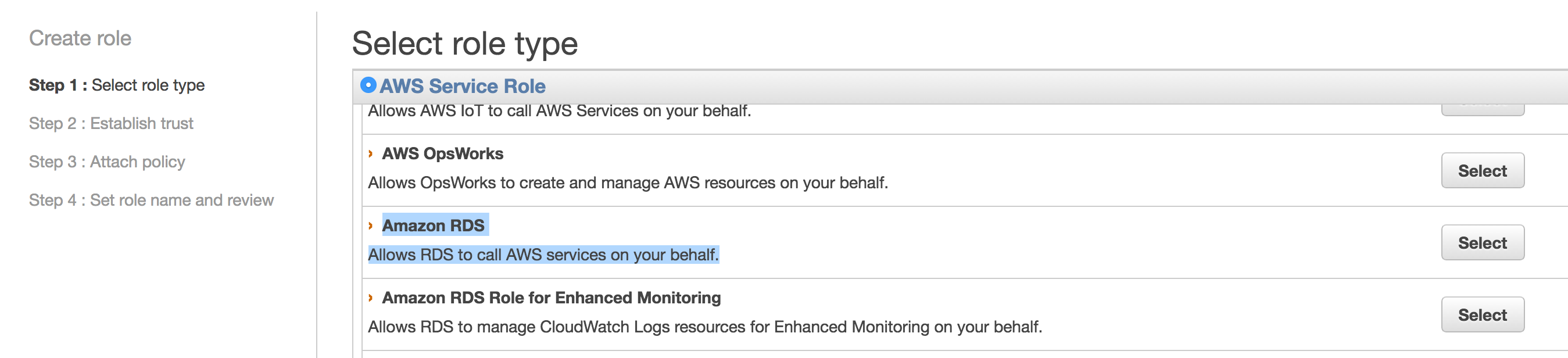
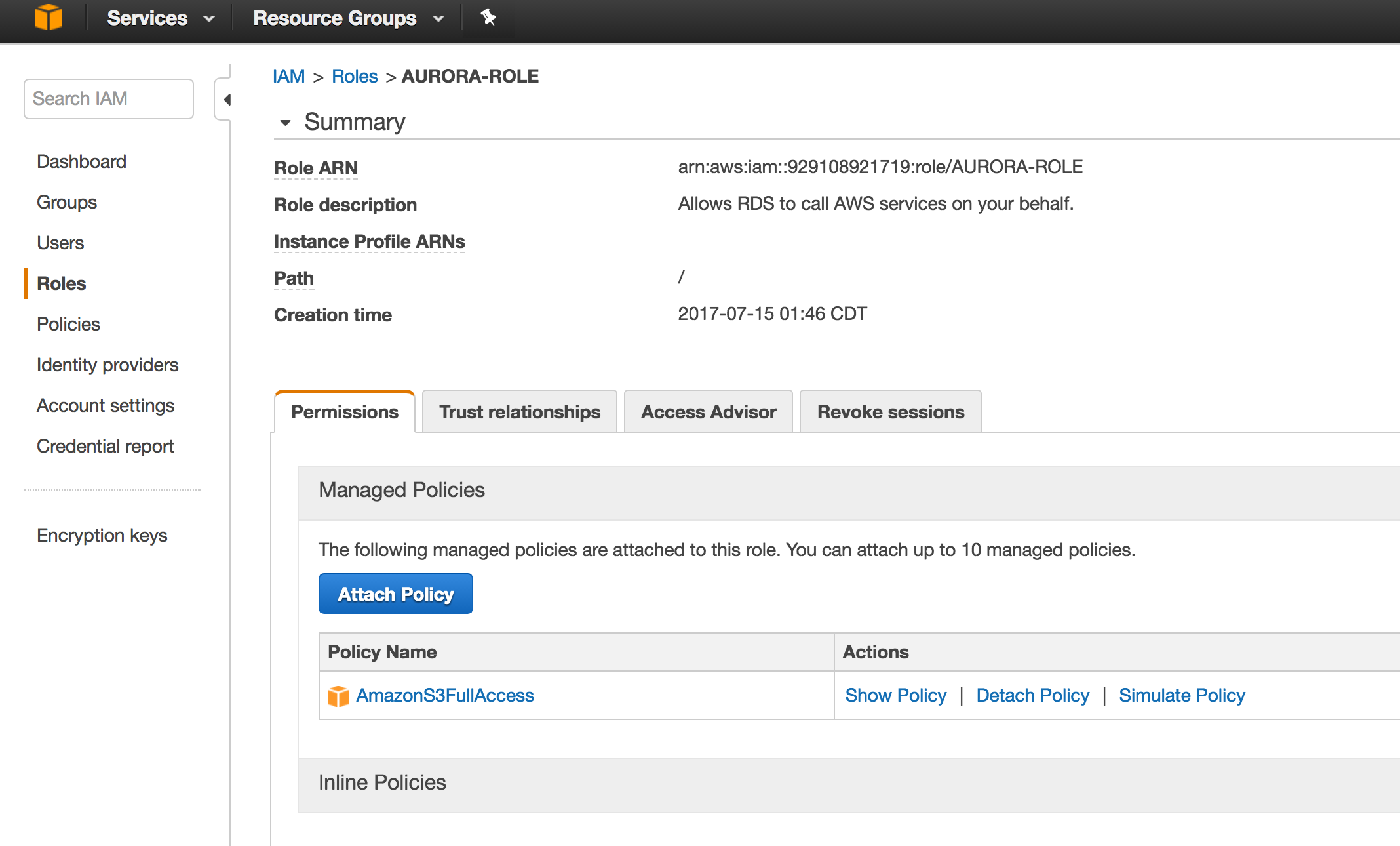
Attach S3 Bucket Policy :
Create Parameter Group :
Modify Custom Parameter Groups
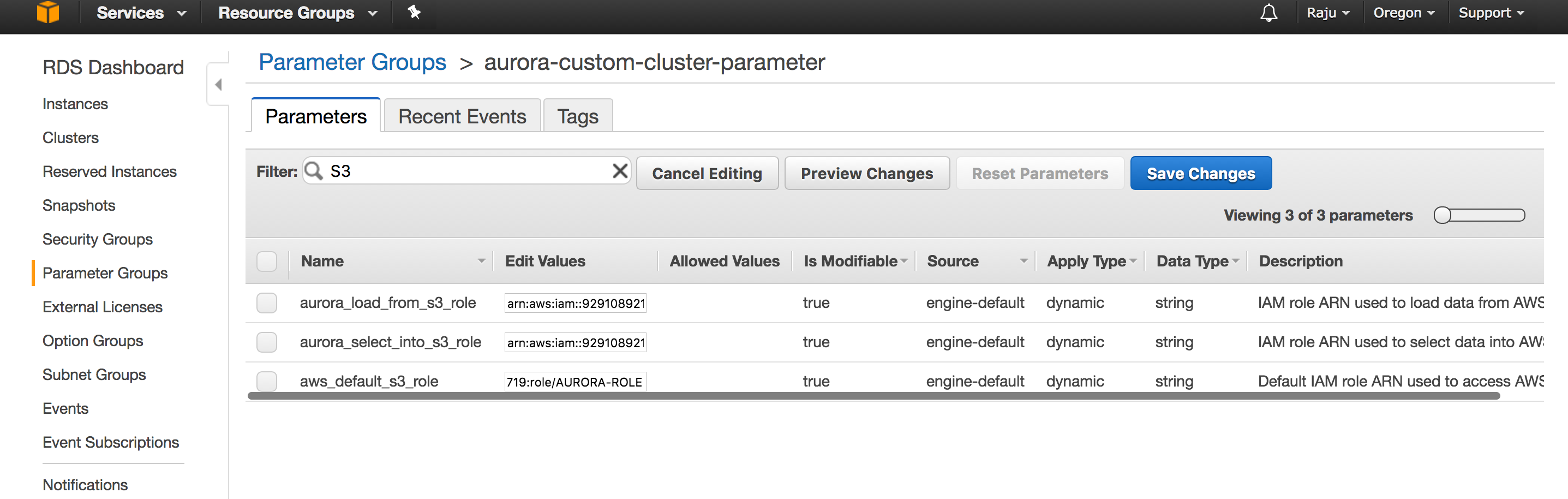
Modify AURORA RDS Instance to use ROLE
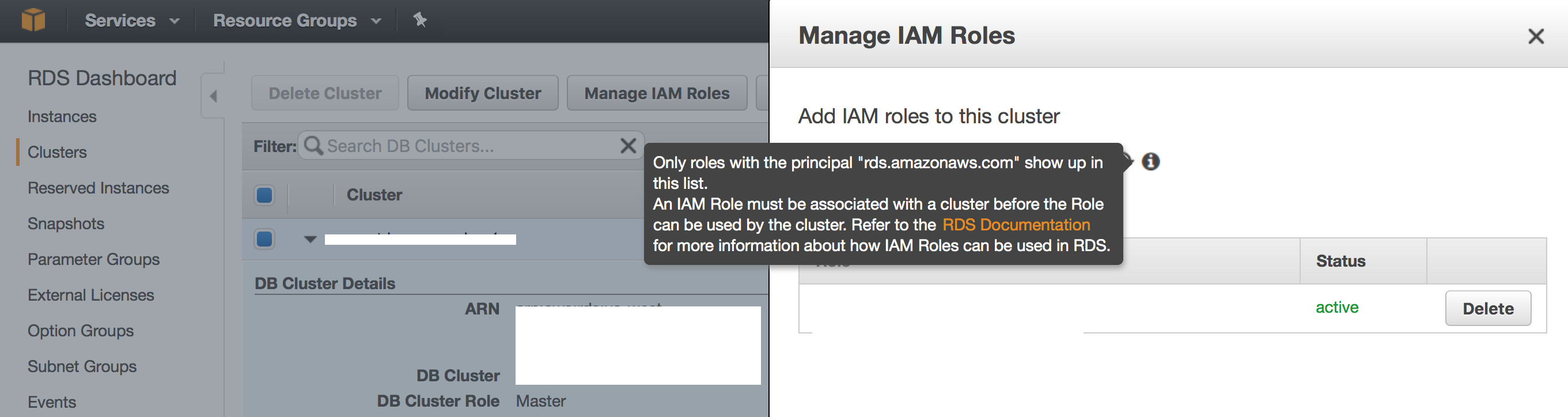
Troubleshooting :
Errors :
Error Code: 1871. S3 API returned error: Missing Credentials: Cannot instantiate S3 Client 0.078 sec
Usually means , AURORA Instance can’t reach S3 Bucket. Make sure you have applied the role and rebooted the Instance.
Sample BULK LOAD Command :
You could use following sample scripts to test your Setup.
        LOAD DATA FROM S3 's3://yourbucket/allusers_pipe.txt'
        INTO TABLE ETLStage.users
        FIELDS TERMINATED BY '|'
        LINES TERMINATED BY '\n'
        (@var1, @var2, @var3, @var4, @var5, @var6, @var7, @var8, @var9, @var10, @var11, @var12, @var13, @var14, @var15, @var16, @var17, @var18)
        SET
        userid = @var1,
        username = @var2,
        firstname = @var3,
        lastname = @var4,
        city=@var5,
        state=@var6,
        email=@var7,
        phone=@var8,
        likesports=@var9,
        liketheatre=@var10,
        likeconcerts=@var11,
        likejazz=@var12,
        likeclassical=@var13,
        likeopera=@var14,
        likerock=@var15,
        likevegas=@var16,
        likebroadway=@var17,
        likemusicals=@var18
Sample File in S3 Public Bucket : s3://awssampledbuswest2/tickit/allusers_pipe.txt
        SELECT * FROM ETLStage.users INTO OUTFILE S3's3-us-west-2://s3samplebucketname/outputestdata'
        FIELDS TERMINATED BY ','
        LINES TERMINATED BY '\n'
        MANIFEST ON
        OVERWRITE ON;
        create table users_01(
        userid integer not null primary key,
        username char(8),
        firstname varchar(30),
        lastname varchar(30),
        city varchar(30),
        state char(2),
        email varchar(100),
        phone char(14),
        likesports varchar(100),
        liketheatre varchar(100),
        likeconcerts varchar(100),
        likejazz varchar(100),
        likeclassical varchar(100),
        likeopera varchar(100),
        likerock varchar(100),
        likevegas varchar(100),
        likebroadway varchar(100),
        likemusicals varchar(100))
Share this:

CloudIQ is a leading Cloud Consulting and Solutions firm that helps businesses solve today’s problems and plan the enterprise of tomorrow by integrating intelligent cloud solutions. We help you leverage the technologies that make your people more productive, your infrastructure more intelligent, and your business more profitable.
LATEST THINKING
INDIA
Chennai One IT SEZ,
Module No:5-C, Phase ll, 2nd Floor, North Block, Pallavaram-Thoraipakkam 200 ft road, Thoraipakkam, Chennai – 600097
© 2023 CloudIQ Technologies. All rights reserved.